The portal for the remote monitoring of collection equipment
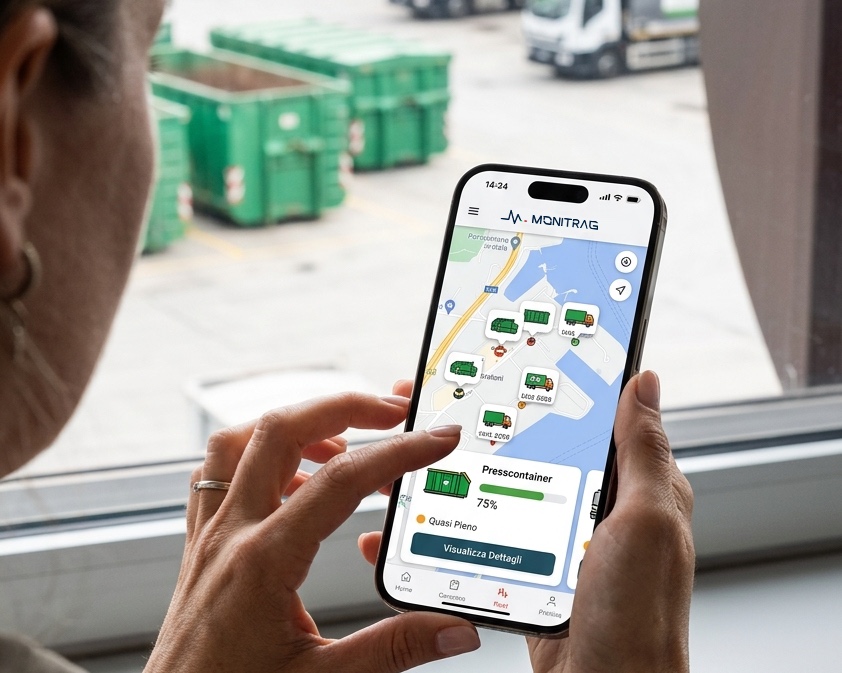
Presscontainers, containers, hooklift systems, cranes and trailers on a single map, refreshed every thirty seconds. It is a web application: it opens in the browser, on computer, tablet and smartphone, with nothing to install.
- Type
- Web applicationNo installation, can be installed as a web app
- Equipment monitored
- Presscontainers and containersOn-board IoT device or GPS tracker
- Updated
- Every 30 secondsPosition history kept for up to 60 months
- Identification in the field
- QR and NFC plateEquipment data sheet readable without credentials
The context
Without remote monitoring, the fill level can only be checked on site
The presscontainer measures its own fill level, counts the compaction cycles and records the operating hours. Without a remote connection these values can be read only on the machine’s own panel, at the site or at the manufacturer’s premises.
Collections are therefore scheduled on estimates, rental periods reconstructed at the end of the month, and faults reported by the customer before the technical service notices them.
monitrag transmits those values to the portal, stores them and makes them available to the office that schedules collections, to the technical service and to the administration department.
How it works
The three stages of monitoring
The system is applied to equipment already in service, including equipment from other manufacturers, either as original equipment or as a retrofit.
Measurement
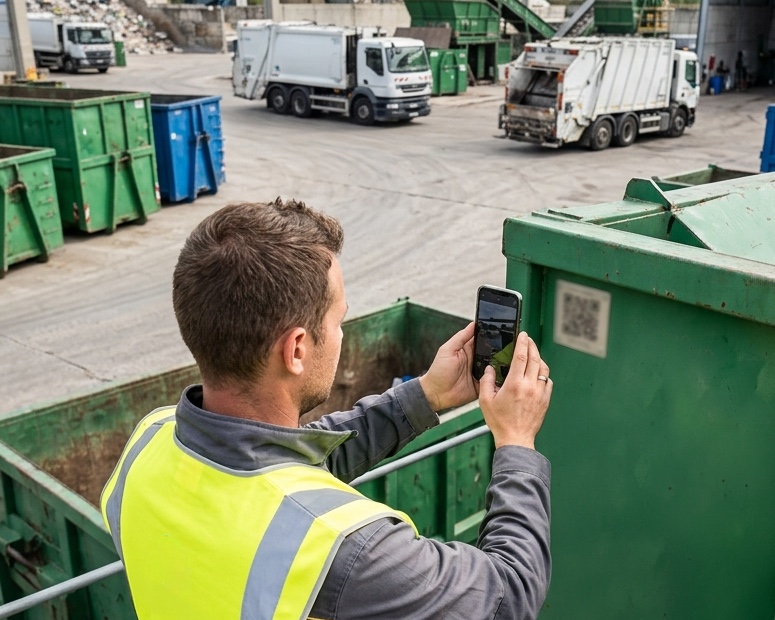
An on-board IoT device on the presscontainer, connected to the machine’s control unit; a solar-powered GPS tracker on the passive container. Installation does not require the equipment to be taken out of service.
Transmission
The data reaches the portal over the cellular network and is updated automatically every thirty seconds. The infrastructure runs on a European cloud, with data encrypted at rest and continuous backup.
Consultation
The portal opens in the browser on computer, tablet and smartphone, with access profiles per user. The map is the default view: from there you reach the data sheet of each individual item of equipment.
Fleet map
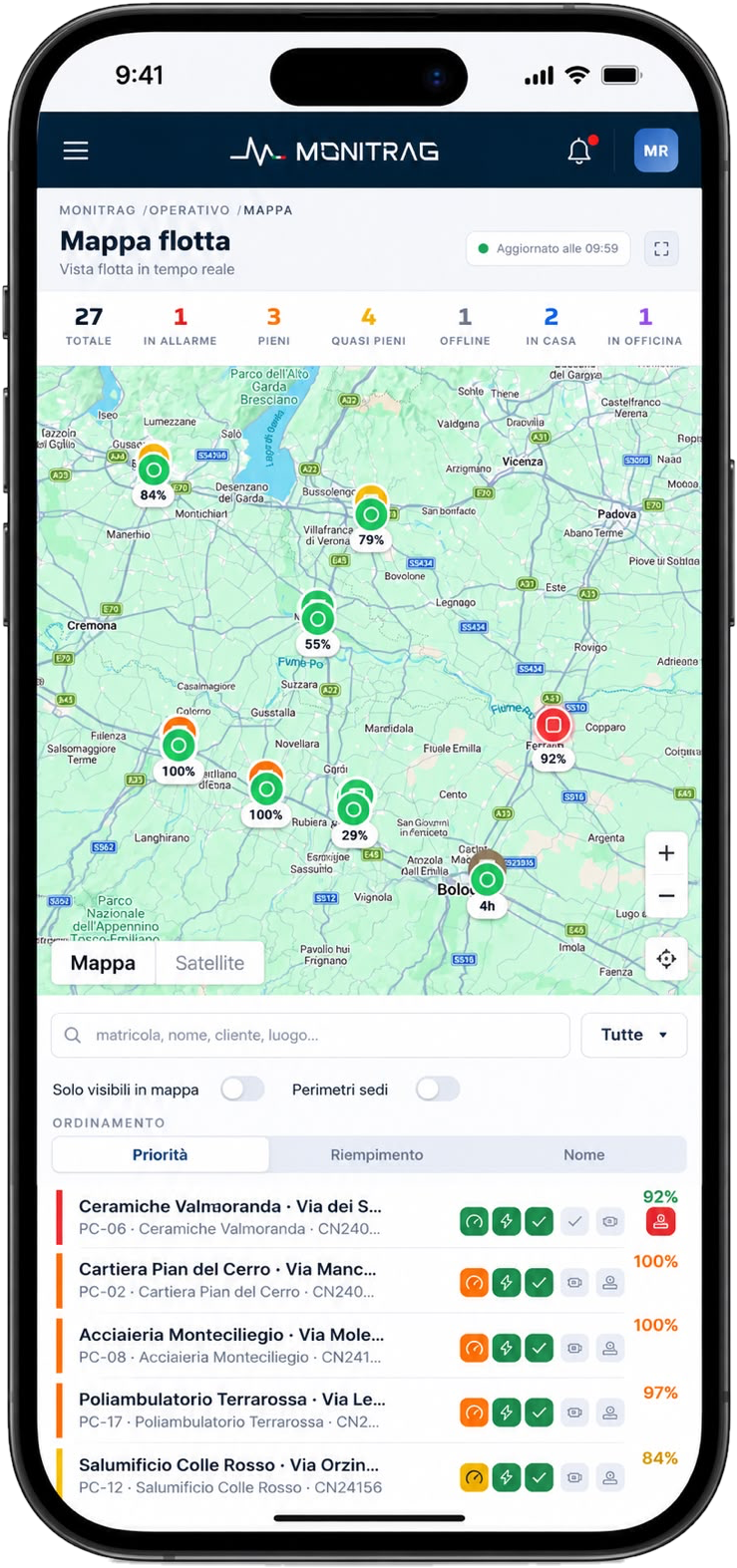
The real-time fleet map
Map and list are synchronised and use the same colour codes. The counters at the top of the page act as filters: one click isolates the equipment in alarm, full, nearly full, offline or back at the depot.
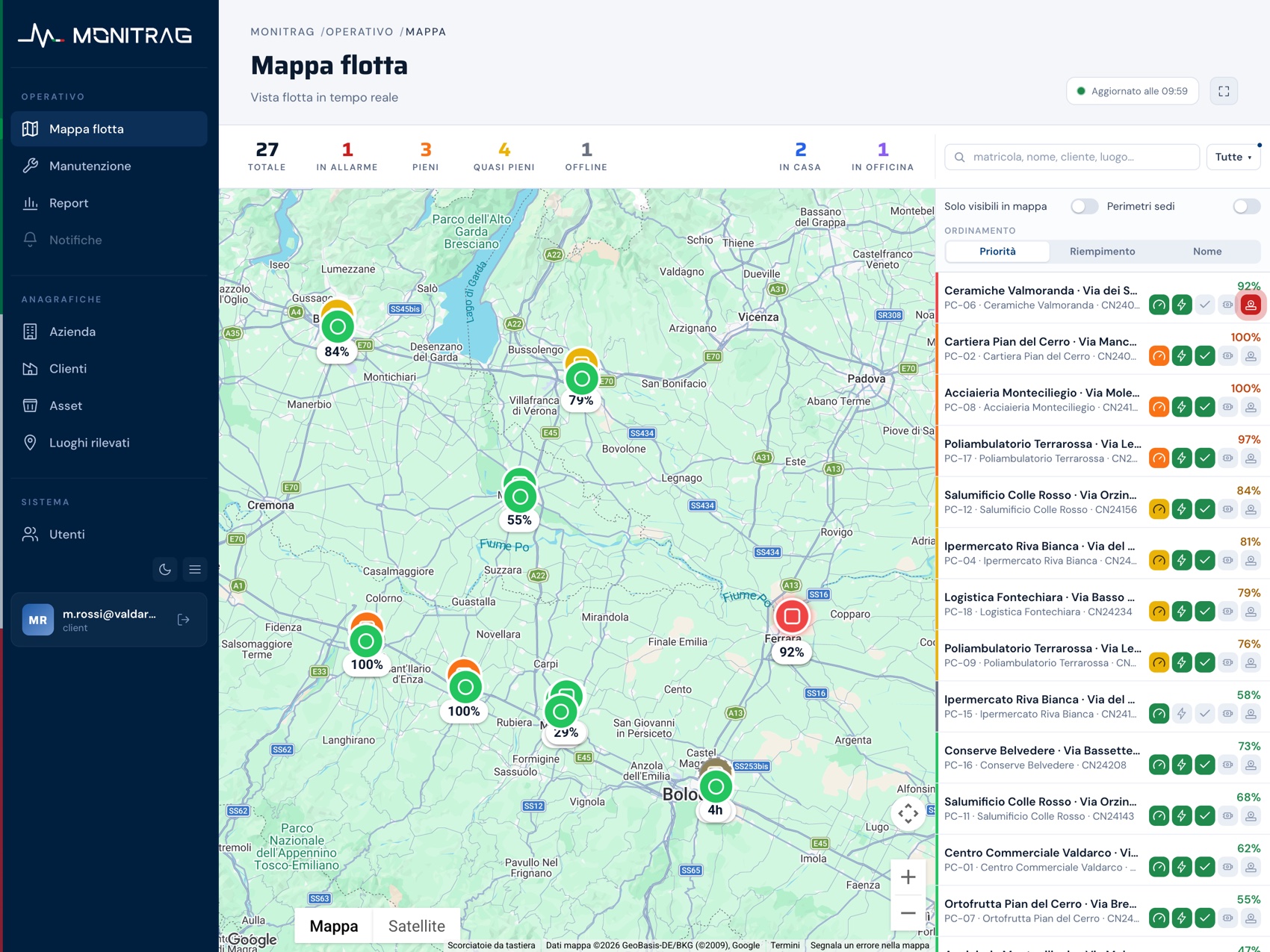
monitrag portal, Fleet map view. Demonstration data.
Equipment data sheet
The data sheet of the individual presscontainer
The data sheet shows the manufacturer, the serial number and the model, the continuous fill-level dial with thresholds at 75% and 100%, the state of the safety and process indicators, the operating counters and the telemetry, with the time of the last message received.
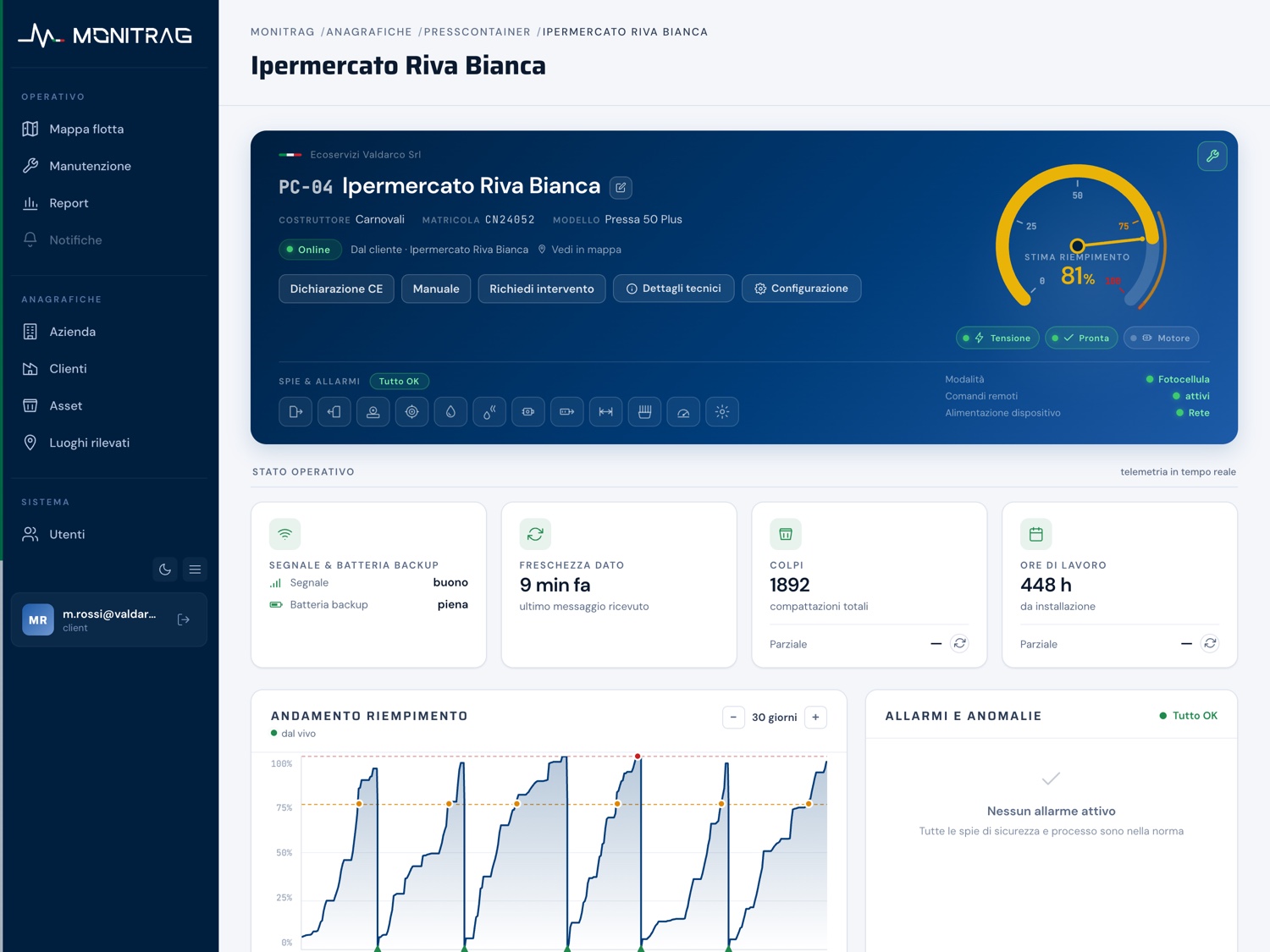
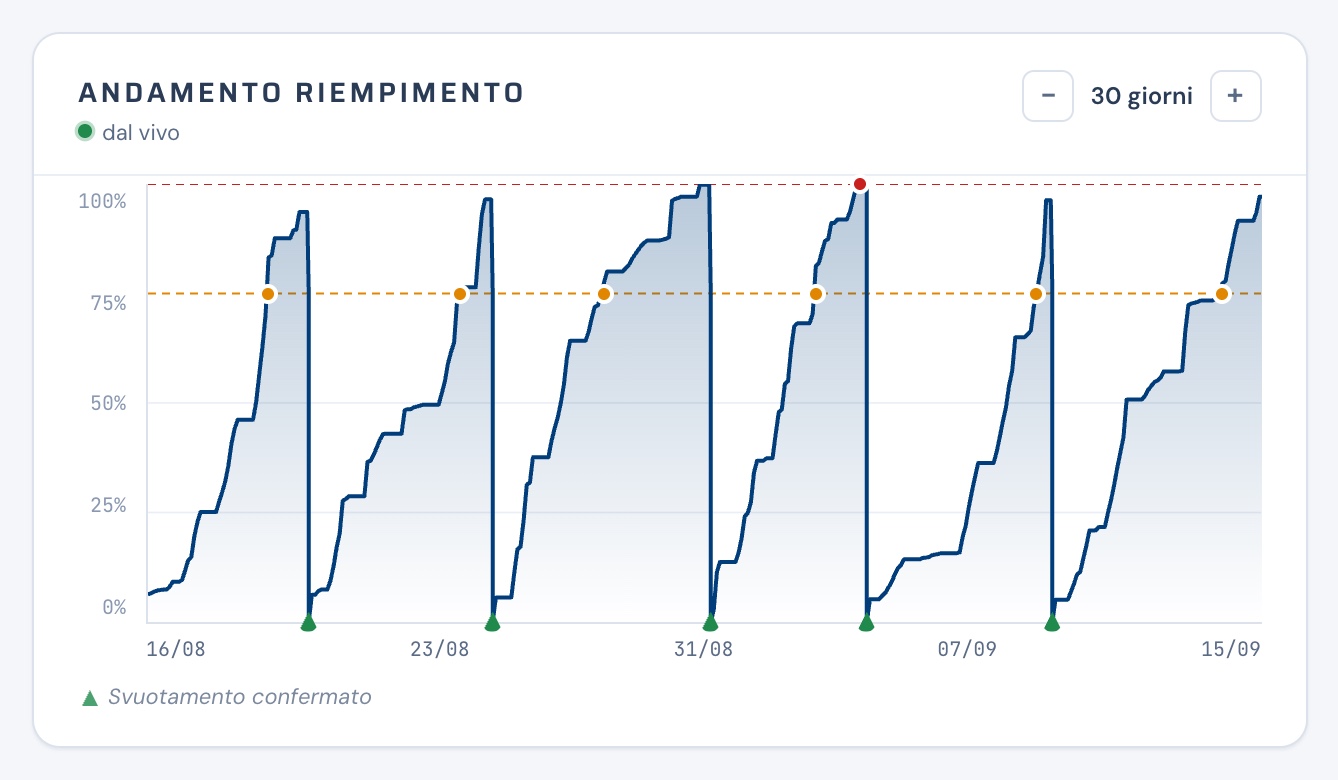
Presscontainer data sheet and fill-level trend over thirty days. Demonstration data.
Monitored equipment
The data measured on presscontainers and on containers
The presscontainer is monitored for fill level and compaction activity; the passive container for its position and the time it spends at the waste producer’s premises.
Presscontainer
Fill level and activityReal-time fill level read from the on-board device, with thresholds at 75% and 100% and a chart of the trend over time. Number of compaction cycles and operating hours, with resettable partial counters.
Diagnostics of alarms and emergency stops with a full history, operating mode, remote configuration, GPS position and movement history.
Container
Position and time on sitePosition measured by a solar-powered GPS tracker, with a history of movements and stops. The time spent at the waste producer’s premises is calculated by the system: date in, date out, actual days.
Battery charge level and power status of the tracker, to tell an absence of signal from a flat device.
Stop history of container CT-009. Recurring addresses are recognised as places and given a name; dedicated algorithms discard inaccurate readings. Demonstration data.
Available signals
The quantities measured for each type of equipment
The set of signals depends on the equipment and on the control unit installed. GPS position, position history and technical documentation are common to all families.
Presscontainers and static presses
- Machine status
- Fill percentage and fill history
- Operating mode
- Remote configuration
- Operating hour counter
- Diagnostics of alarms and emergency stops
Hooklift systems
- Machine status
- Power take-off engaged
- Stabilisers within gauge
- Locks closed and open
- Container loading and unloading
- Tipping
- Operating hour counter
Hooklifts and containers with a crane
- Machine status
- Operator at the control station
- Stabilisers within gauge
- Load threshold warning
- Crane within and outside gauge
- Boom in the rest position
- Operating hour counter
Trailers and semi-trailers
- Kilometres travelled
- Tyre pressure and temperature
- Vehicle payload and overload alarms
- Weight distribution over the axles
- Brake wear and faults in the circuit
- Roll-over alarm
- Roadworthiness test due date
Identification in the field
The equipment data sheet opens from the QR code on the machine
Every item of equipment carries a plate with a QR code and an NFC tag. The data sheet that opens when it is scanned is public and requires no credentials: it can be read by the driver, by an external maintenance technician and by the customer’s own staff.
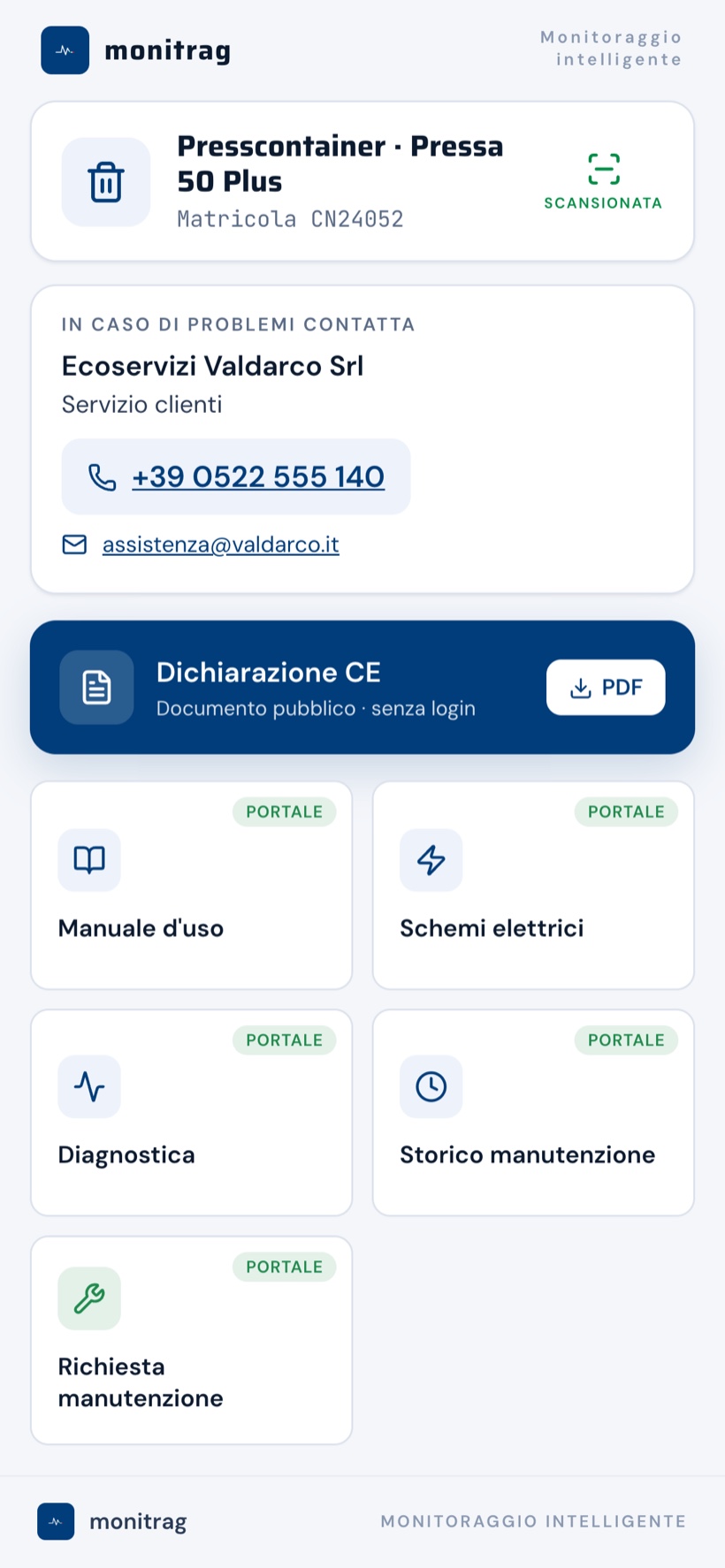
Operating modules
Scheduled maintenance and rental reporting
Besides reading the status, the portal schedules work on the operating hours actually recorded and calculates the days the equipment spends at the waste producers’ premises.
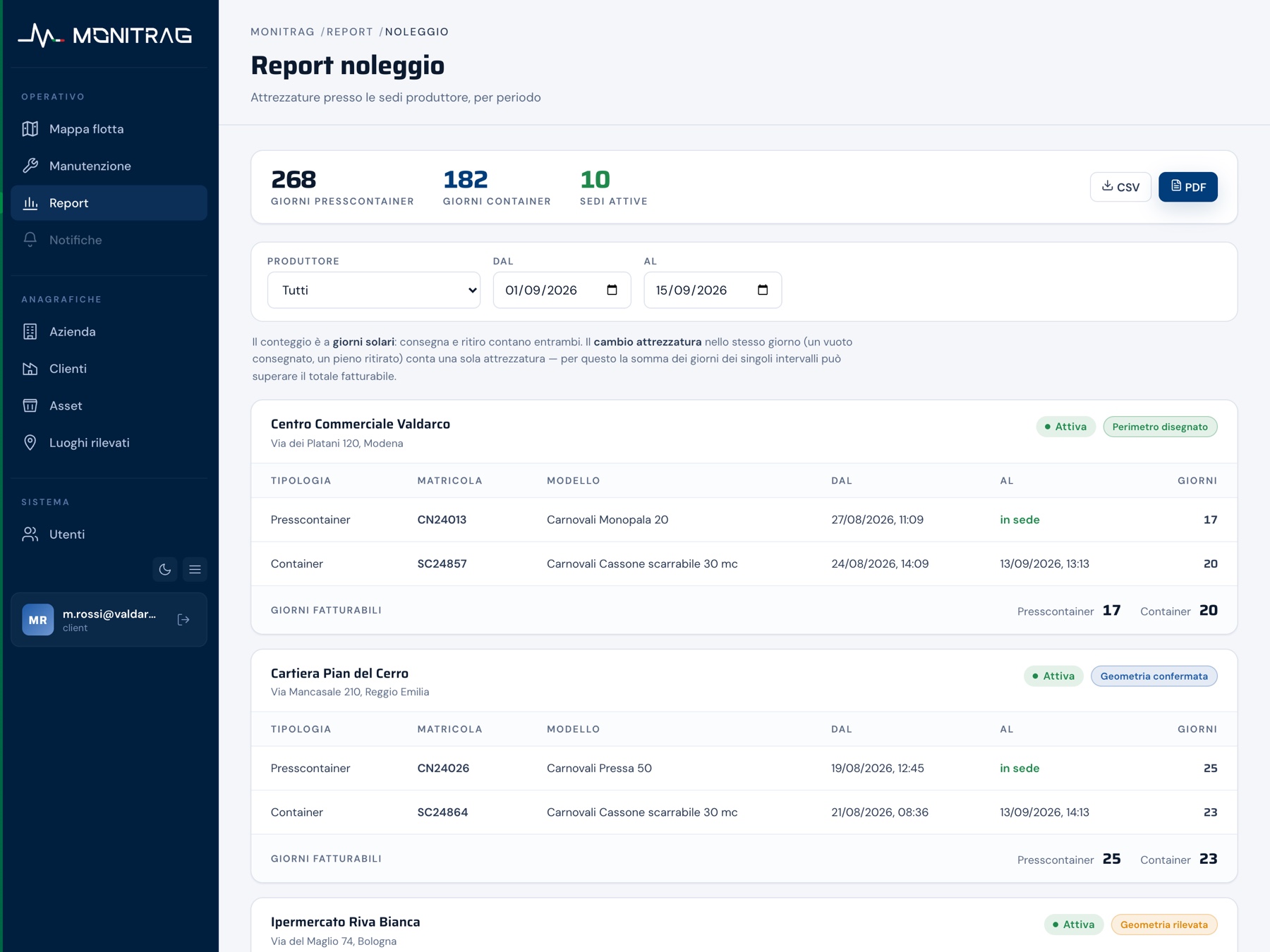
Rental report by producer and period, exportable in CSV and PDF. Demonstration data.
Service architecture
The technical specifications of the portal
Multi-device web application, data on a European cloud, position history kept for up to sixty months.
The portal stores and exports the interconnection data required for the obligations that apply to interconnected assets.
- Type
- Web applicationUsed from a browser, no installation required
- Devices
- Computer, tablet, smartphoneCan be installed as a web app on the home screen
- Updated
- Every 30 secondsAutomatic refresh, without reloading the page
- Supported equipment
- Presscontainers and containersOn-board or retrofit IoT device; containers with a GPS tracker
- Data retention
- Up to 60 monthsHistory of positions and stops
- Infrastructure
- European cloudData centre in Sweden, data encrypted at rest, continuous backup
- Confidentiality
- Access profilesServer-level data isolation for each company
- Integration
- Alongside the existing systemsNo migration of the management software already in use
Uses
The operational uses of the portal
Collections scheduled on the fill level
The fill level of the entire fleet can be read in a single view. The round is built on the equipment that actually needs it, reducing empty runs and early collections.
Action before the machine stops
Alarms are notified at the moment they occur. The history separates occasional faults from recurring ones and guides preventive maintenance.
Maintenance recorded against the serial number
Scheduled and unscheduled work stays linked to the equipment, with a digital service report, photographs and signature. The history of the machine can be reconstructed at any time.
Rental invoicing on the days calculated by the portal
The days spent at the producer’s premises are calculated by the system and exported in a statement ready for the administration department, with no reconstruction at the end of the month.
Profiled access for customers
The portal can be opened to the producers served, with visibility limited to their own equipment. Monitoring becomes part of the service provided.
Identification and documents in the field
QR code and NFC tag on the plate: whoever is standing in front of the machine has its data sheet, documentation and contacts on their own phone.
Who it is for
Who uses the portal
Environmental service companies
Fleets of presscontainers spread over many collection points, with collection rounds to be scheduled and justified to the client.
Rental companies
A fleet of containers moving between several sites, with periods on site to be documented and invoiced on verifiable data.
Industry and treatment platforms
Internal recycling points and in-line static presses, where continuity of service has a direct effect on production.
Developed inside the group
monitrag was created inside the group that builds the equipment
The portal is not software bought in and adapted. It is developed by the group that manufactures presscontainers, containers and vehicle bodies, on the same machines it then monitors.
The group
The other companies in the group
monitrag follows the machines that the other group companies design, build and fit out.